Coursework case study
ELDR
An accessible marketplace for older New Zealanders
A two-person project with Jove Tondo across two courses at Yoobee Colleges. We wrote the proposal in Cross-Platform Development, then built a working prototype in Investigative Studio. This write-up covers the parts I built: product browsing, the wishlist, and an accessibility mode that changes the whole interface with one switch.
Prototype. It was never hosted.
View code on GitHub (opens in new tab)The problem
General marketplaces like Trade Me are built for everyone, so products for older people sit among a huge number of unrelated listings, behind small controls and busy menus. Specialist shops like CareCo stock the right products, but CareCo is UK-based, sells as a single retailer, and has no way for family to help with a purchase.
We proposed ELDR to sit between the two: a New Zealand marketplace where every listing is checked for suitability before it goes live.
The proposal
The proposal set out six features:
- A verified badge on products that meet accessibility, usability and safety standards
- Search by need: mobility, vision, hearing and daily living
- Reviews from older users
- A wishlist with easy reordering
- Family accounts, so a caregiver can help with a purchase
- An accessibility mode with large text and high contrast
It also covered personas, the stack, sprints and a production plan. One persona, Robert, is 78, with macular degeneration and arthritis in his hands. The accessibility mode was written with him in mind: large text and high contrast inside the site itself, so he does not depend on his device's own settings.
The proposal planned Node.js API routes and Socket.io for live updates. In the build we used Flask for the backend instead and dropped the real-time features.
What I built
We split the work by feature rather than by layer, so each of us built our features from the database to the screen. Mine were:
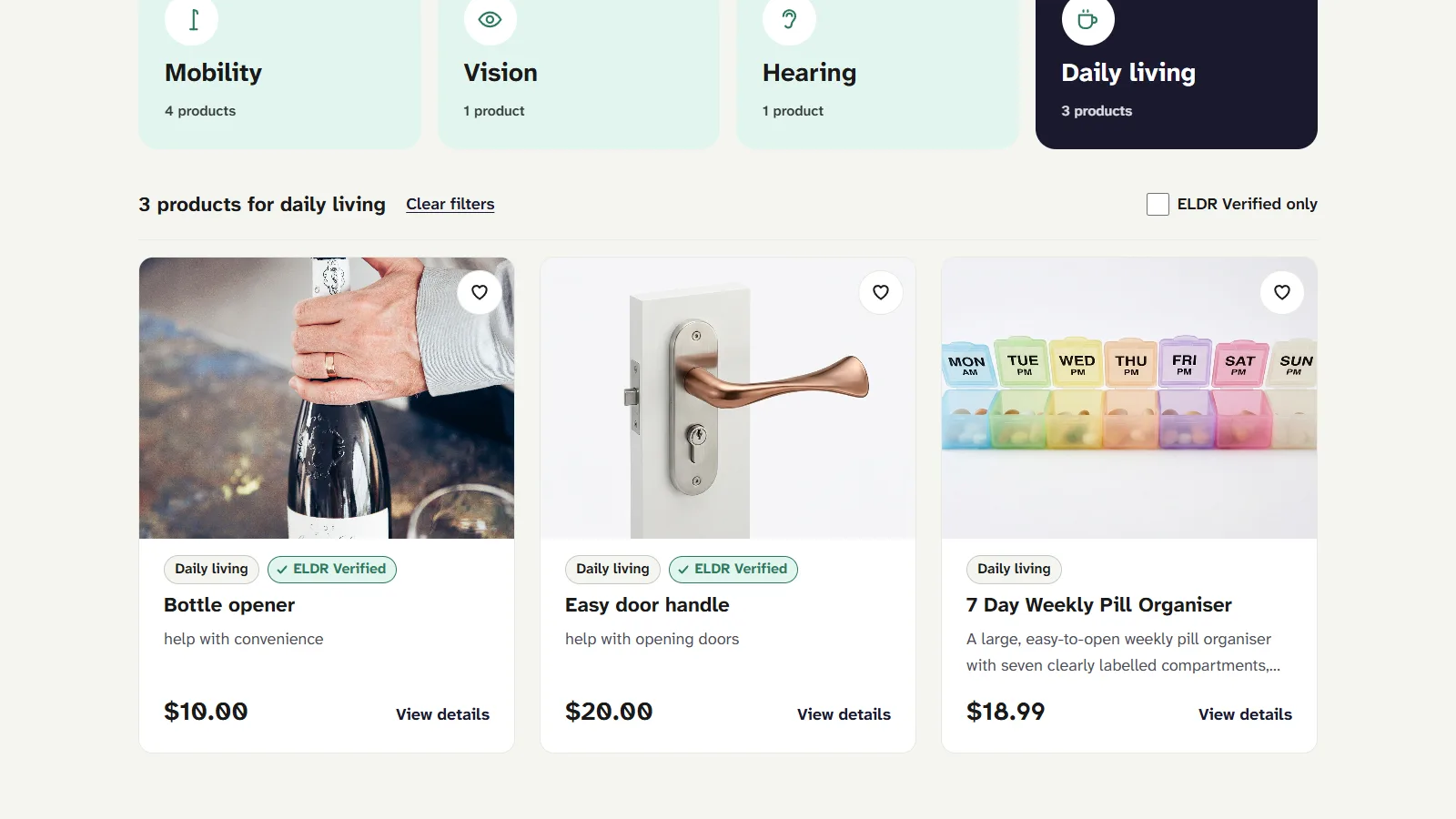
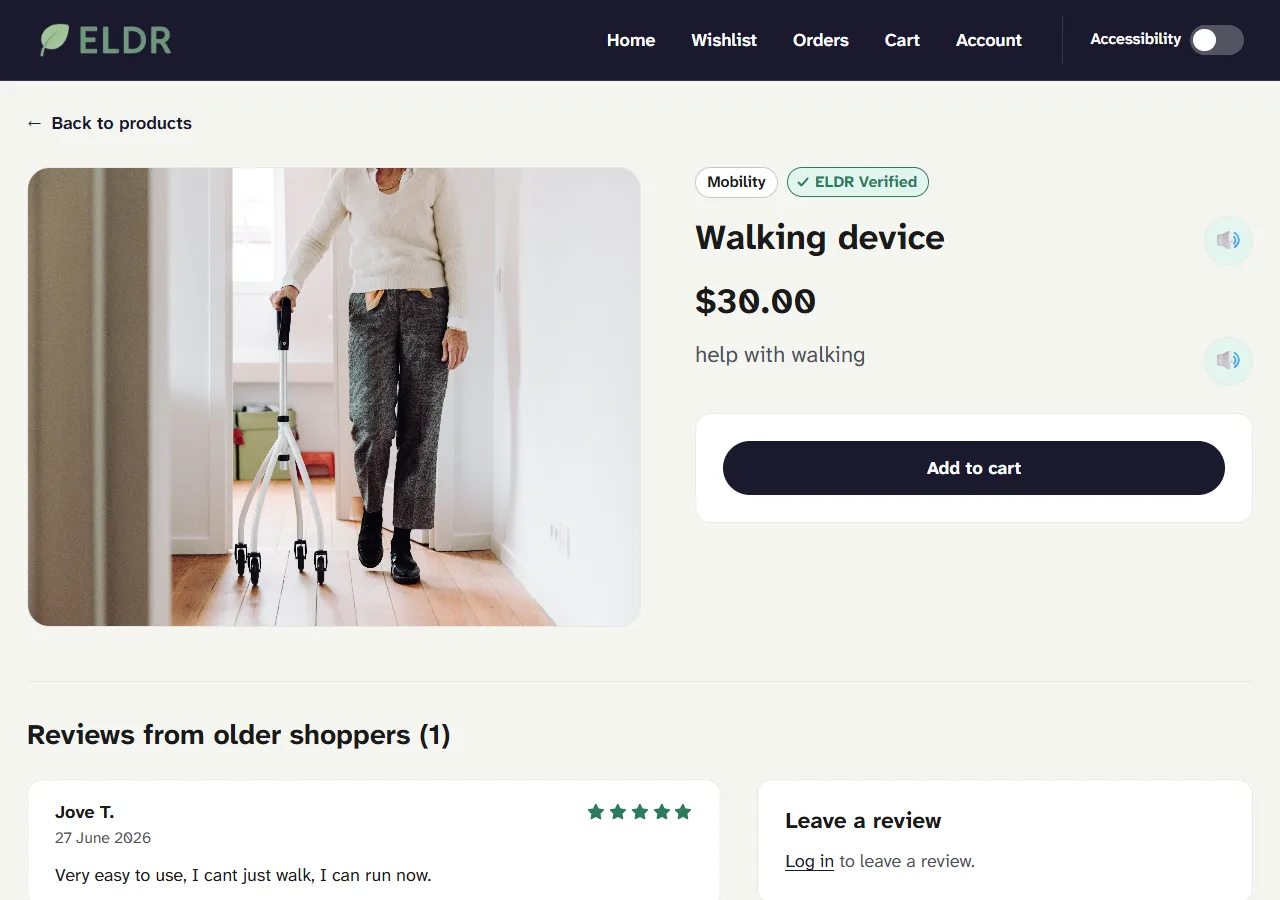
- Product browsing: the home page with search and filter by need, the product cards and the product detail page
- The products endpoint, with loading and error states on the page that calls it
- The verified badge on cards and detail pages, and an admin panel for granting it
- The wishlist: Flask endpoints, a heart toggle on each card, and the wishlist page
- A read-aloud button on product pages, using the browser's built-in speech synthesis
- A seller form for listing new products, saved to the database
- The accessibility mode, below
One switch for the whole interface
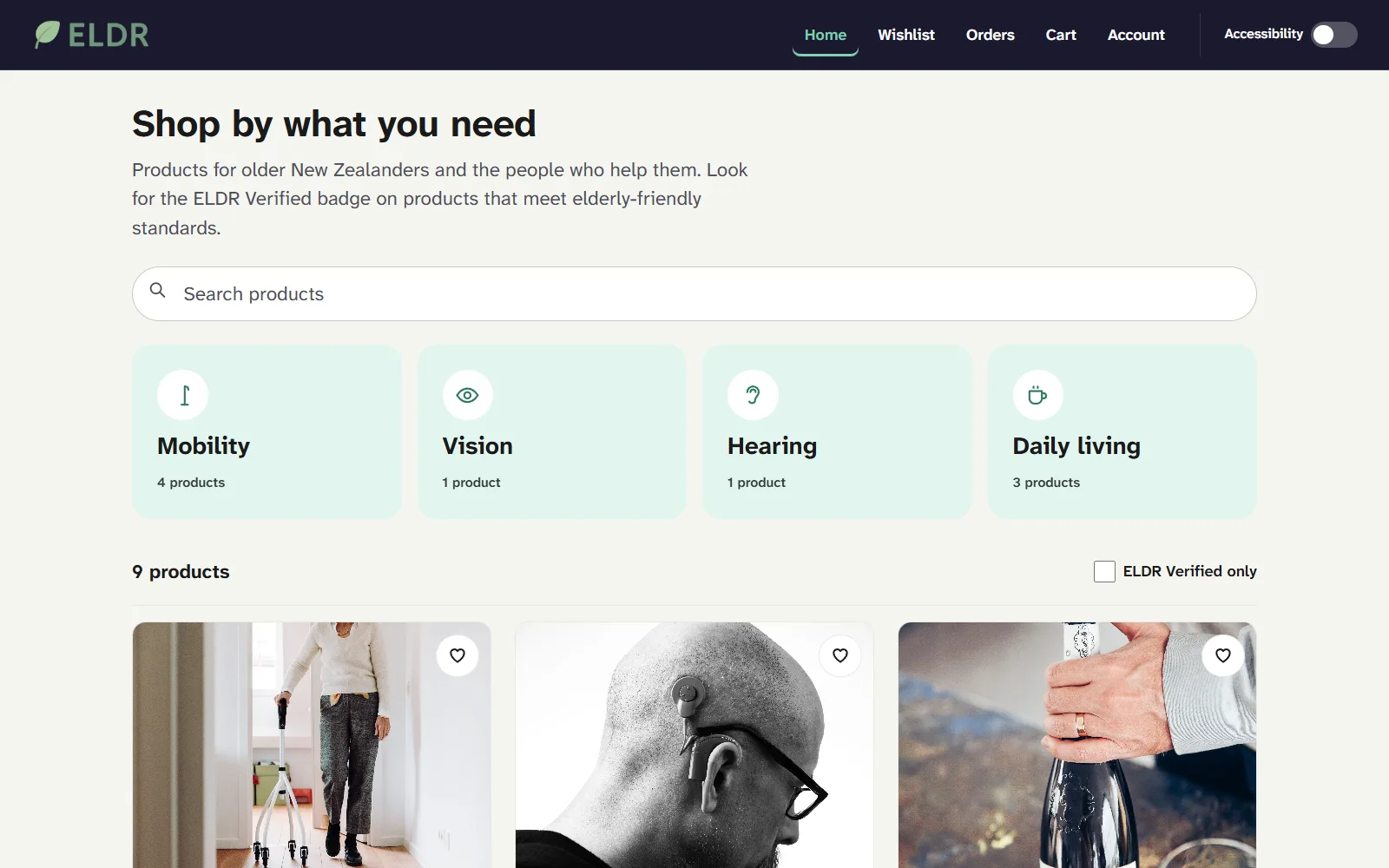
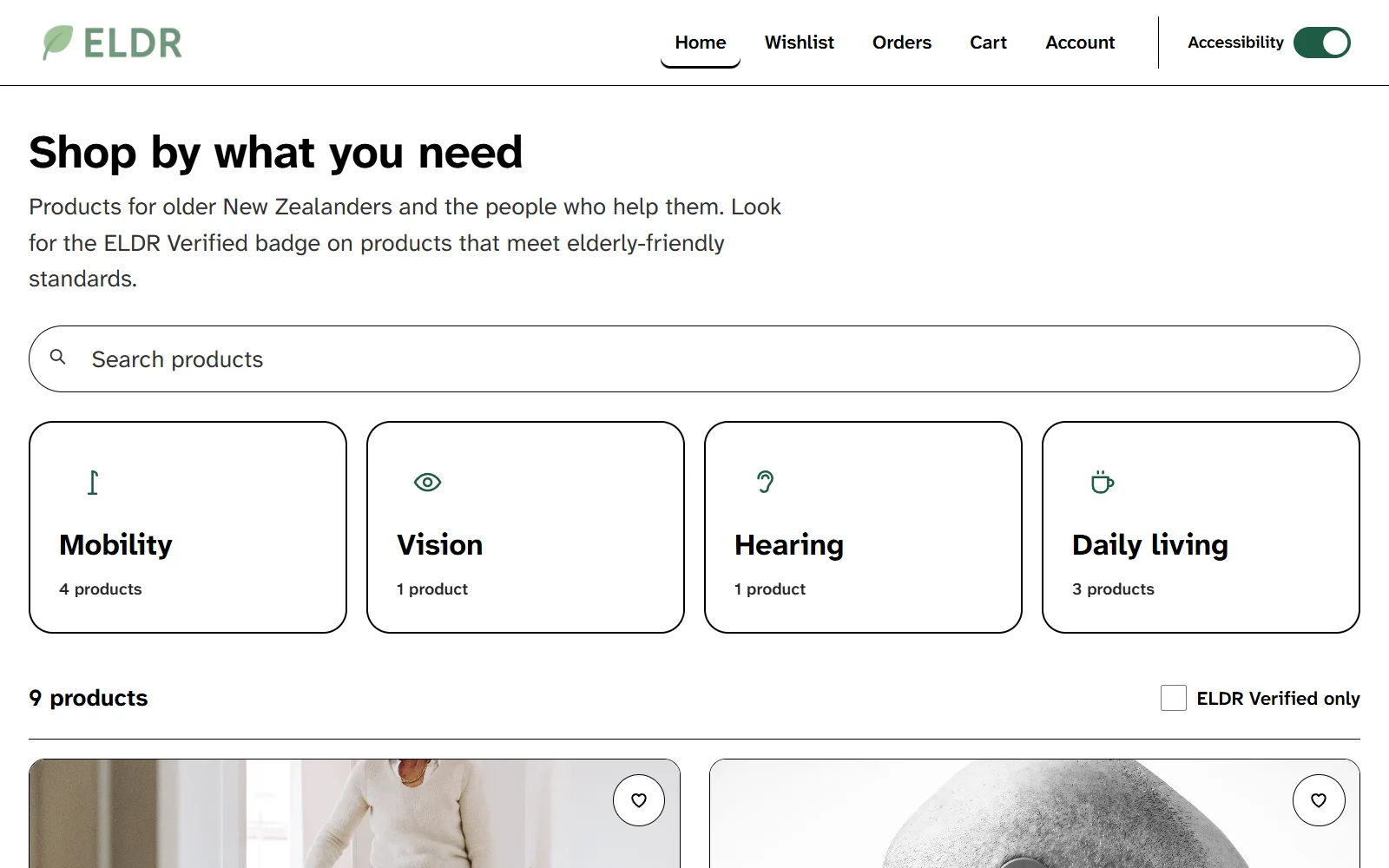
Turning on accessibility mode adds one class, a11y-on, to the page's root element. That class swaps the colour variables to black on white, raises the root font size from 18px to 22px, and makes buttons at least 56px tall. Everything that reads from those variables and from rem units changes at once. The setting is saved in the browser, so it stays on between visits.
It did not reach everything at first. Some components were styled with inline styles, which a class cannot override, so they needed extra code to follow the switch. The lesson I took away: if a project might ever need to scale its text, use rem units and shared variables from the first component.
Making the filter testable
The search and category filter started inside the page component, reading React state, which made it hard to test. I moved it into a plain function that takes the products, the search text and the category, and returns the matches. Six Jest tests cover it: an empty search, case-insensitive search, filtering by need, verified only, search and category together, and no matches.
Two things that went wrong
The wishlist forgot on refresh. Removing an item needed the wishlist row's ID, which was held in React state. After a page reload that state was empty, so removing failed. I changed the endpoint to delete by user and product instead, because the page always knows both.
A push that undid merged work. A direct push to our shared branch from an out-of-date branch reverted several merged files and deleted others. We recovered them one file at a time with git checkout <branch> -- <path>. We had agreed on pull requests only. A team of two is exactly when that rule feels optional, and exactly when skipping it hurts.
What I would fix next
- The wishlist endpoints take the user ID from the request body, so they trust whatever the browser sends. Orders already use the server session, and the wishlist should too.
- The API address is hard-coded as
localhost:5000throughout the frontend instead of coming from an environment variable, so the app only runs locally. - The accessibility mode was never checked against WCAG contrast rules or tested with a screen reader. For a feature built for accessibility, that is the biggest gap.