Coursework case study
FOCUS
A student task manager deployed on Azure
A server-rendered task manager built with Flask and PostgreSQL, deployed to Azure on free-tier services. It was a solo coursework project (Cloud Application Development, Yoobee Colleges). The app is simple on purpose. The interesting part is the deployment, so that is what this write-up covers.
No longer hosted (see the last section).
View code on GitHub (opens in new tab)The brief
Students register, log in and manage their tasks for the day, each with a status, priority and reflective notes. The dashboard shows only today's tasks. The app had to run on a cloud provider with monitoring, and I had no hard spending cap on my subscription, so keeping cost near zero shaped most decisions.
What I built
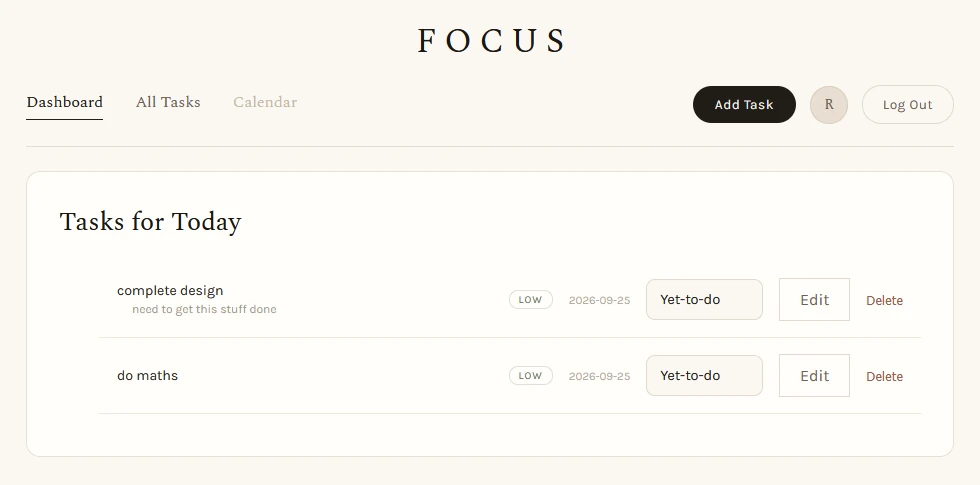
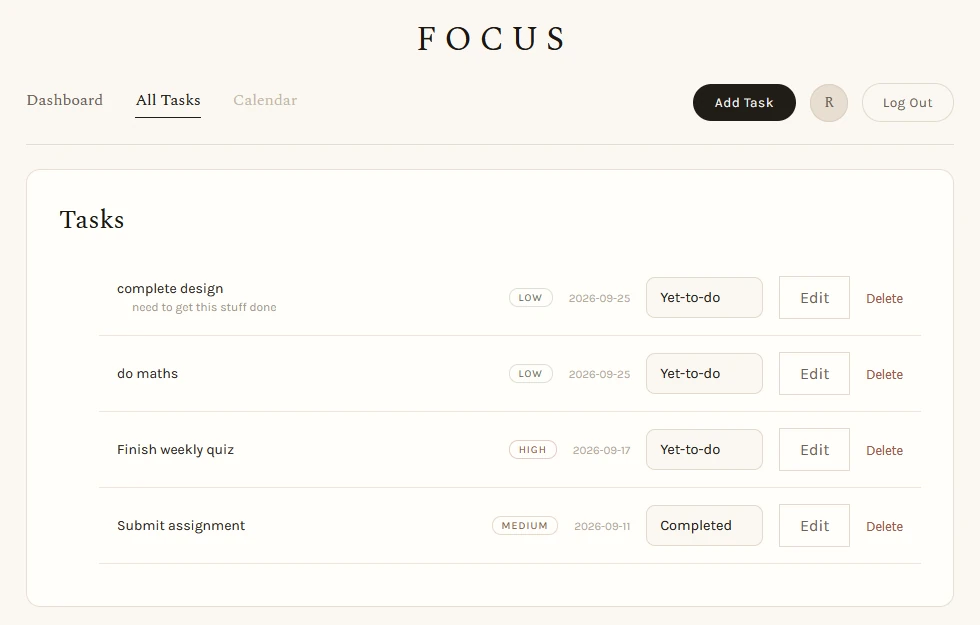
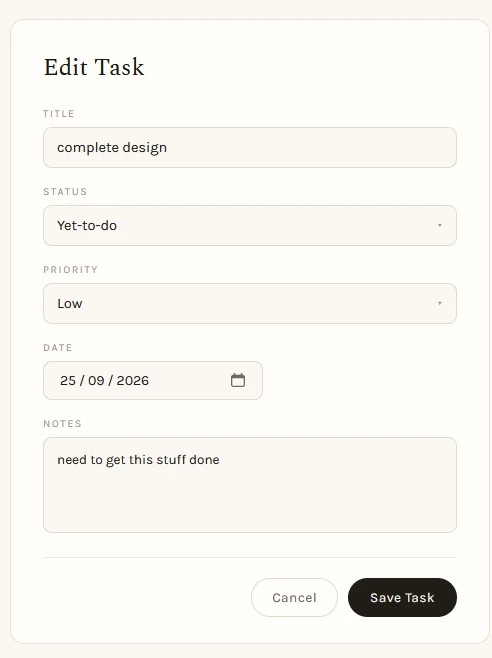
Register, log in, log out, create, edit and delete tasks, change status from a dropdown on the list, and write notes. Every task query is filtered by the current user's ID, so changing a task ID in the URL returns a 404 instead of someone else's task. I left out image upload and password changes, which were optional.
Architecture and deployment
mainsslmode=require- Pushes to
maintrigger a GitHub Actions workflow that builds and deploys to App Service. - Config (
DATABASE_URL,SECRET_KEY) comes from environment variables: a.envfile locally, App Service settings in production. The same code runs in both. - The database enforces TLS, my app connects with
sslmode=require, and a firewall allows only Azure services and my own IP. - Tables were created by running
flask db upgradefrom my machine against the Azure database.
Two things that went wrong
OIDC deploy auth failed. I tried to give the pipeline short-lived tokens through OpenID Connect. It failed because my GitHub account only had the older OAuth App authorisation, not the GitHub App installation OIDC needed. I switched to a publish profile stored as an encrypted GitHub secret. That works, but it does not expire, so it is the weaker option and I documented it as a known risk.
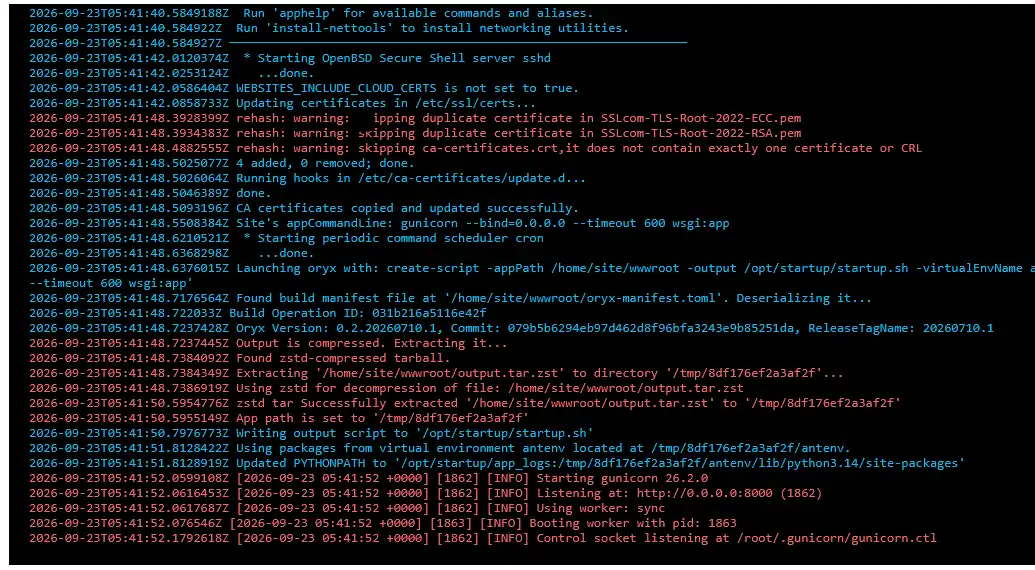
A green tick, a crashed site. The first deployment passed in GitHub Actions, but the site crashed with ModuleNotFoundError: No module named 'wsgi'. Six local commits had never been pushed, so Azure deployed the old code. The log stream showed the error straight away. The lesson: a green pipeline only proves what the pipeline checks, and a local commit is not deployed code.
Cost and monitoring
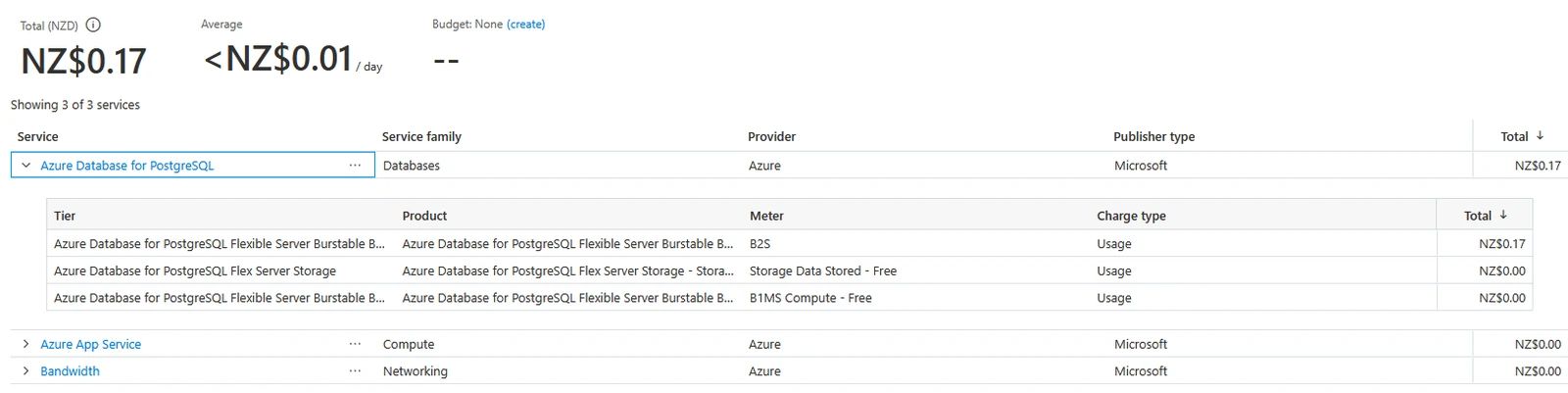
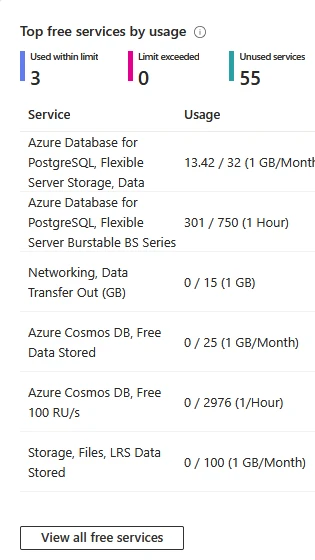
Total spend was NZ$0.17. The App Service plan and bandwidth cost nothing, and the only charge came from a short period on a larger database size (the B2S meter) before I moved to B1ms. Storage sat at 13.42 GB of the 32 GB allowance and compute at 301 of 750 free hours.
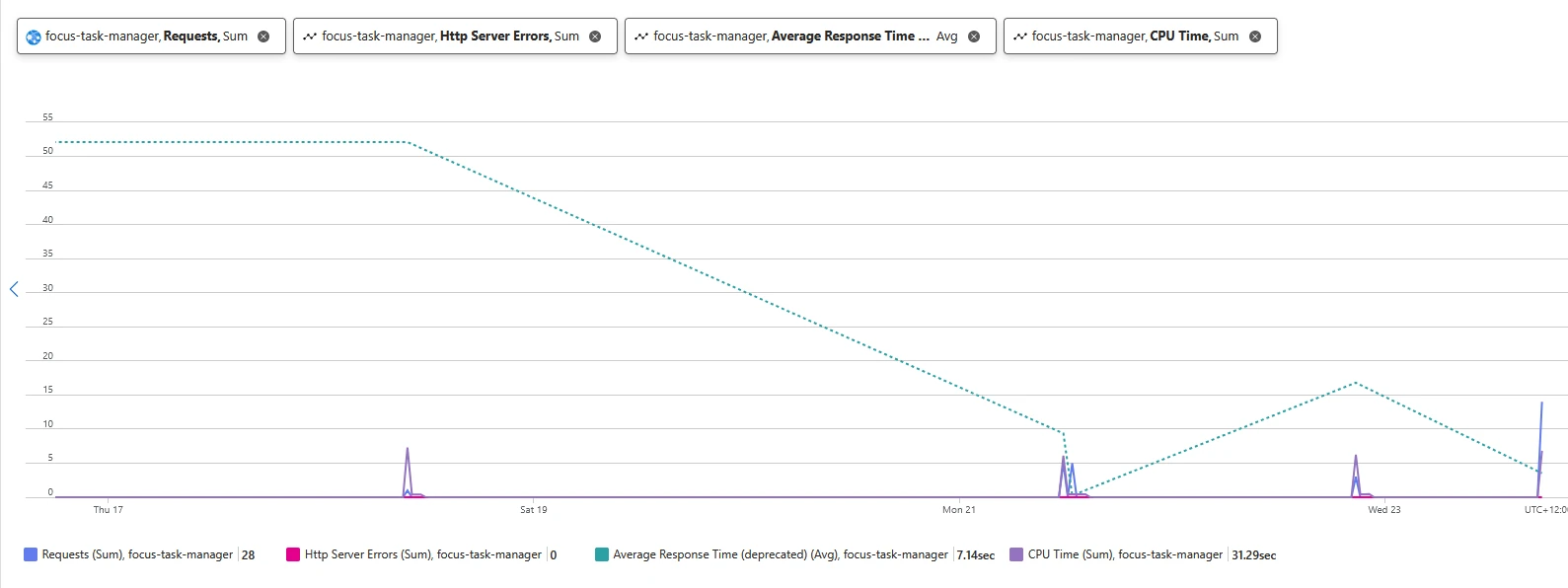
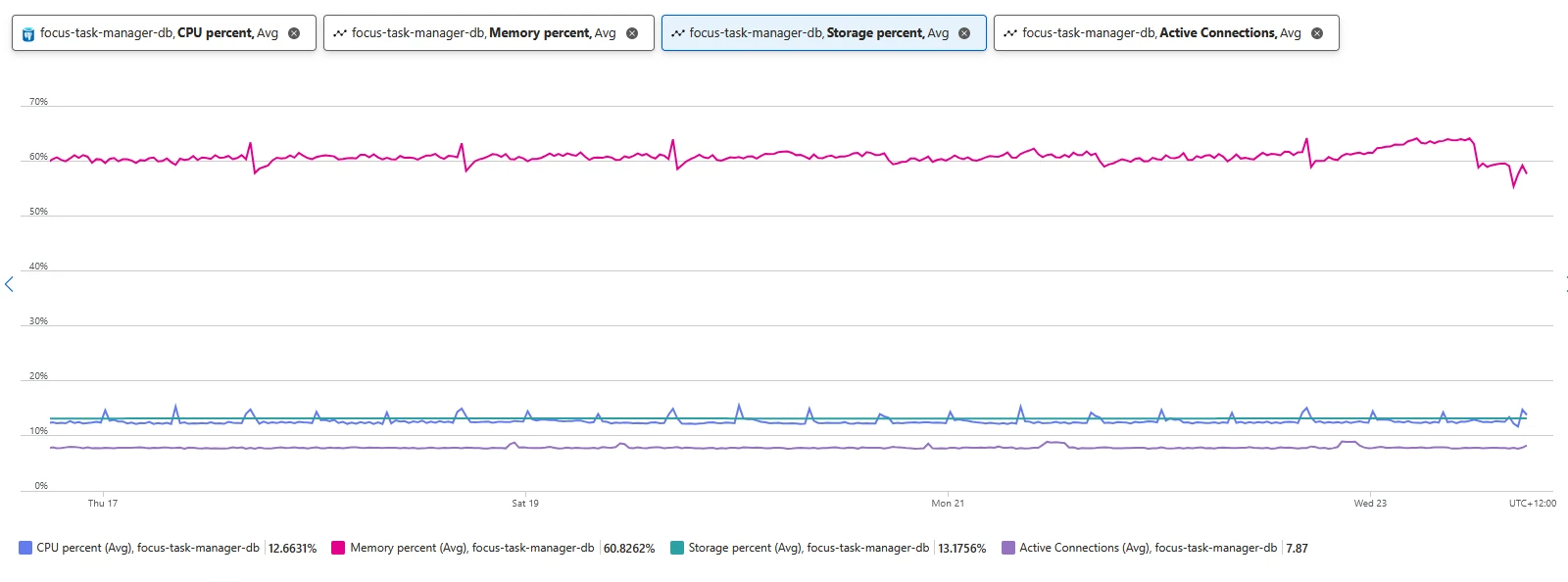
Monitoring came from four places: the log stream, App Service metrics, database metrics, and a /health endpoint I wrote that runs SELECT 1 and reports app and database status in one request. Over seven days the site handled 28 requests with no server errors. The 7.14 second average response time is likely cold starts rather than slow code, because F1 has no Always On. On the database, memory (about 61%) was tighter than CPU (about 13%). Application Insights was not available on this tier, so I could see that a request was slow but not why.
Trade-offs I chose
- F1 plan: single instance, no Always On, no SLA. Fine for coursework, not for users.
- B1ms database: the only tier inside the free allowance, but it cannot have high availability. Storage autogrow is off, so a full disk makes the database read-only instead of growing the bill.
- Infrastructure by clicking: I built everything in the portal, so rebuilding after a loss would be manual.
What I would fix next
Known gaps:
- No CSRF protection on forms
- The
nextredirect parameter is not validated (open redirect) - No login rate limiting and no password rules
- Task creation accepts an empty title (test T08 failed)
config.pyfalls back to default values instead of refusing to start- Move to infrastructure as code, Entra authentication for the database, and a much shorter gunicorn timeout than 600 seconds
Where it is now
The app is no longer hosted. I took it off Azure to avoid ongoing costs. The code is on GitHub.